Schritt 4: Bedingungen
Erfassen Sie die Umgebungsfaktoren zum Unfallzeitpunkt -- Beleuchtung, Straßenbeschaffenheit, Fahrbahnverhältnisse und Sichtverhältnisse.
Schritt 4 erfasst die Umgebungsfaktoren zum Unfallzeitpunkt. Tippen Sie jeweils auf die zutreffende Option.
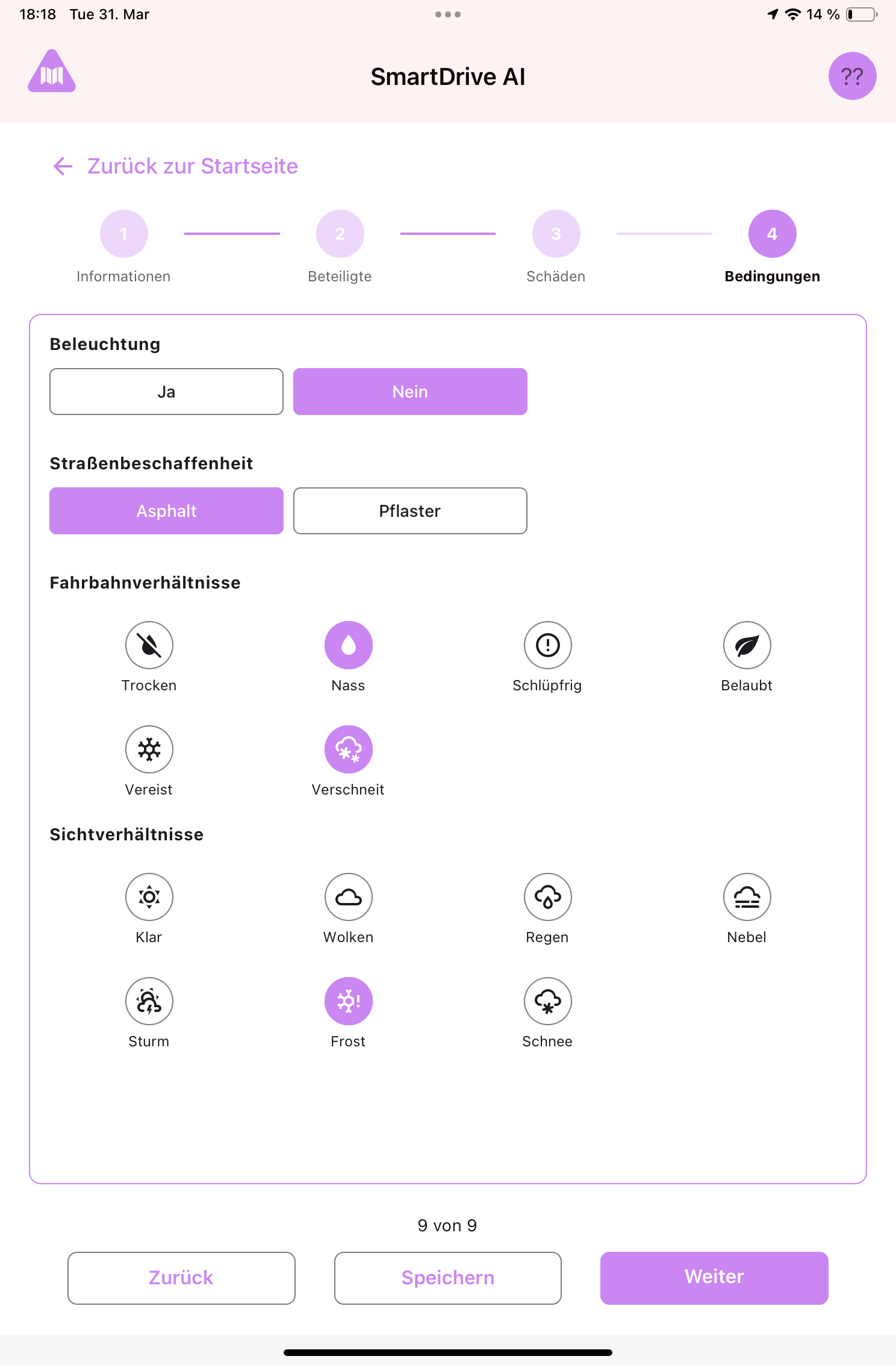
Vier Faktoren
- Beleuchtung -- War ausreichend Beleuchtung vorhanden? Tippen Sie auf "Ja" oder "Nein".
- Straßenbeschaffenheit -- War die Straße Asphalt oder Pflaster? Tippen Sie auf die passende Option.
- Fahrbahnverhältnisse -- Wählen Sie alle zutreffenden Optionen durch Tippen auf die Symbole: Trocken, Nass, Schlüpfrig, Belaubt, Vereist, Verschneit. Sie können mehrere Optionen auswählen.
- Sichtverhältnisse -- Wählen Sie alle zutreffenden Optionen: Klar, Wolken, Regen, Nebel, Sturm, Schnee. Sie können mehrere Optionen auswählen.
Hinweis
Bei Fahrbahnverhältnissen und Sichtverhältnissen können Sie mehr als eine Option auswählen. Wenn die Straße z. B. nass UND belaubt war, tippen Sie auf beide Symbole. Ausgewählte Symbole werden hervorgehoben dargestellt.
Noch Fragen?
Kontaktieren Sie das SmartDrive AI Team
Oder schreiben Sie uns an support-smartdriveai@mapular.com