
→ View the live UNESCO Sites Navigator · → Read the case study on esri.de
The Challenge
UNESCO oversees more than 1,200 World Heritage Sites worldwide. The threats facing those sites (climate, conflict, deforestation, tourism) don't respect national or categorical boundaries, but for years the data needed to anticipate risks arrived as uncoordinated PDFs and static layers.
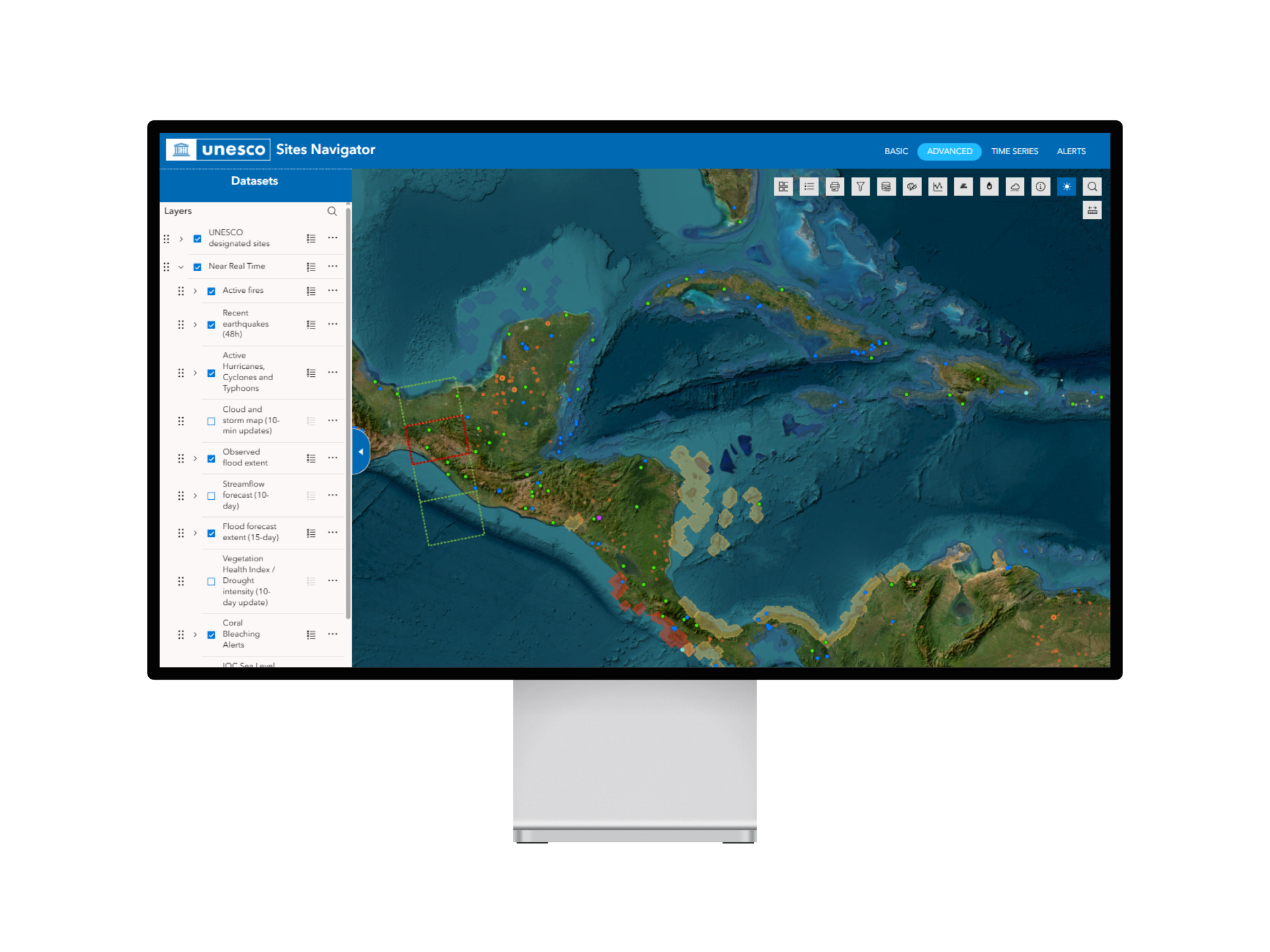
UNESCO had launched the Sites Navigator as a first-generation web map bringing its designations into one interactive view. To become operational, the platform needed something harder: automated, scientifically grounded alerts across every site feature, scheduled daily, and maintainable by a small in-house team.
The Engagement
Mapular joined as an Esri Germany partner to build the environmental risk and alert engine — the part that turns the Navigator from a reference tool into a daily operational instrument. The brief was uncompromising: everything native to the ArcGIS stack so UNESCO could maintain it without external developers.
Four deliverables defined the work:
- A harmonized sites layer — one canonical geometry set covering every inscribed property.
- An automated alert system running daily and weekly cadences.
- An advanced Experience Builder app organising 50+ data layers thematically.
- A monitoring dashboard purpose-built for non-GIS users.
What We Built
Harmonized sites layer. World Heritage properties arrive as inconsistent datasets — points for some, polygons for others. Our ArcGIS Notebooks pipeline merges them into a single canonical layer with buffer distances sized by core area, elevation data for tsunami filtering, and alert-state preservation across rebuilds.
Automated alerts. Scheduled ArcGIS Notebooks run the analysis UNESCO's scientific team specified — Active Fire (NASA FIRMS), Earthquake (USGS), Tsunami (GDACS), Coral Bleaching (NOAA), Vegetation Disturbance (Global Forest Watch). Two principles keep the system coherent: ecological relevance (coral bleaching is only evaluated for Natural and Mixed sites) and alert, not verdict (the system flags; UNESCO's team interprets).
Experience Builder + Dashboard. Fifty-plus layers organised into five thematic groups; a monitoring dashboard with Arcade expressions reading directly from the harmonized layer. UNESCO brand colours, designed from day one for non-GIS staff.
The Approach
Everything built out of the box. ArcGIS Online, Experience Builder, Dashboards, Notebooks, Arcade. No custom backend, no bespoke frontend. UNESCO's constraint — that the in-house team be able to maintain the platform independently — shaped every decision.
"We're very happy that we have the technology today in our hands to do all this wonderful stuff without being, for example, a developer." — Fernando Avakian, Project Officer, UNESCO
The Outcome
The Sites Navigator has shifted from a reference tool into an operational one. Less-known sites now appear alongside famous ones with the same scrutiny. Risks surface without field reports arriving — anomalies show up on the dashboard before they reach UNESCO's correspondence channels.
Looking to build something similar for your own program? Mapular's Esri services for NGOs.