If your brand sells through 50, 500, or 5,000 retail locations, you have a local SEO problem you probably do not know about. Each of those stores is a potential entry point in search results. But most multi-location brands treat their store locator as a single page with a map on it, and Google treats it the same way: one URL, zero local visibility.
Multi-location SEO is the practice of making every one of your physical store locations individually discoverable in search. When someone searches "where to buy [your brand] in Austin" or "[your product] near me," your store in Austin should appear in the results. For most brands, it does not.
This guide covers the strategy, the technical foundations, and the tools that make multi-location SEO work, whether you are on Shopify, a custom-built website, or any platform in between.
Why Multi-Location Brands Struggle with Local SEO
Local SEO for a single-location business is straightforward: one Google Business Profile, one website, one set of local keywords. For brands with dozens or thousands of retail locations, the challenge is fundamentally different.
Your Store Locator Is Probably Invisible
Most store locators are built as a single page with a JavaScript-powered map. A customer types a zip code, sees results, and finds a store. It works for the user. But search engines see a single URL with no indexable store-level content.
If your locator uses an iframe (most third-party widgets do), the problem is worse. Google does not crawl content inside iframes on your page. Your 500 locations are invisible.
Run a quick test: right-click your store locator page, select "View Page Source," and search for one of your store addresses. If the address is not in the raw HTML, Google cannot see it either.
You Are Competing Against Yourself
Without location-specific pages on your own domain, the search results for "[your brand] in [city]" will be filled by your retail partners, review sites, and directories. Your brand loses control of the narrative. The customer clicks through to a Walmart or Target page instead of yours, and you lose the demand signal entirely.
"Near Me" Searches Are Growing Fast
Google reports that "near me" searches have grown over 500% in recent years. These are high-intent queries: people who are ready to visit a store. If your brand has no indexable local content, you are not in the running for any of them.
The Four Pillars of Multi-Location SEO
Ranking for every store location requires four things working together: location pages, structured data, Google Business Profile alignment, and internal linking. Miss one, and the others underperform.
1. Location Pages
A location page is a dedicated, server-rendered page for a single store, with its own URL. Instead of one /store-locator page, you create /stores/austin-tx, /stores/brooklyn-ny, /stores/downtown-chicago, and so on.
Each page should include:
- Store name with brand and location identifier
- Full street address, consistently formatted
- Operating hours, including holiday exceptions
- Phone number with local area code
- Embedded map showing the store's position
- Directions link (Google Maps or Apple Maps)
- Product availability at that specific location
- Links to nearby store locations
Location pages capture long-tail searches that a single-page locator cannot. A page at /stores/austin-tx is a natural match for "where to buy [brand] in Austin" without keyword stuffing. The page content itself, the address, city name, products, and hours, provides the relevance signals Google needs.
At scale, hundreds of location pages build domain authority and attract location-specific backlinks. A local blog in Portland might link to your Portland store page in a shopping guide. These backlinks are nearly impossible to earn when all your stores live on one URL.
For a deep dive on location pages specifically, see our guide on how location pages turn your stores into search traffic.
2. Schema.org Structured Data
Location pages give Google something to crawl. Structured data tells Google exactly what it is looking at.
LocalBusiness schema is a standardized markup format (defined at schema.org) that describes a physical store location. You add it as a JSON-LD script in the page HTML. It tells Google: "This page describes a store at this address, with these hours, at these coordinates."
A minimal example:
{
  "@context": "https://schema.org",
  "@type": "LocalBusiness",
  "name": "Your Brand - Downtown Chicago",
  "address": {
    "@type": "PostalAddress",
    "streetAddress": "123 Main Street",
    "addressLocality": "Chicago",
    "addressRegion": "IL",
    "postalCode": "60601"
  },
  "telephone": "+1-312-555-0100",
  "openingHours": "Mo-Sa 10:00-20:00",
  "geo": {
    "@type": "GeoCoordinates",
    "latitude": 41.8781,
    "longitude": -87.6298
  }
}
Schema does not directly boost rankings. What it does is help Google understand and display your content correctly. Pages with proper LocalBusiness schema are more likely to appear in the local pack (the map results at the top of local searches), show rich snippets with hours and ratings, and get matched to "near me" queries.
For brands with hundreds of locations, generating this markup manually is not realistic. You need a structured data source, an API or database, that feeds schema markup automatically for every location.
3. Google Business Profile Alignment
Google Business Profile (GBP) is the other half of local SEO. Your location pages and GBP listings need to work together.
NAP consistency is the foundation. NAP stands for Name, Address, Phone. Google cross-references this information across your website, your GBP listing, and third-party directories. When the data matches exactly, Google's confidence in the information increases. When it conflicts, even small differences like "123 Main St" vs. "123 Main Street," the signal weakens.
Link each GBP listing to its corresponding location page. Most brands set the GBP website field to their homepage. This misses an opportunity. When your GBP listing for "Your Brand Downtown Chicago" links to /stores/downtown-chicago, and that page has matching LocalBusiness schema, the association is clear and the local pack ranking signal is stronger.
This matters especially when you have multiple locations in the same city. Without distinct location pages, Google has no way to differentiate your three Chicago stores in search results.
4. Internal Linking Architecture
Location pages do not exist in isolation. Their value multiplies when connected to the rest of your site through deliberate internal linking.
Product pages to store pages. Add "Find this product in a store near you" links on product pages. This drives traffic to location pages and signals to Google that they matter.
Blog posts to store pages. When you write content mentioning specific cities or regions, link to the corresponding location pages. A blog post about your expansion into the Pacific Northwest naturally links to your Portland, Seattle, and Vancouver store pages.
Hub-and-spoke structure. Create a central store overview page (the hub) that links to every individual location page (the spokes). For brands with hundreds of locations, a two-level hierarchy works: /stores links to /stores/california, which links to /stores/los-angeles-downtown.
Breadcrumb navigation. Implement breadcrumbs on every location page: Home > Stores > Chicago > Downtown Chicago. Mark them up with BreadcrumbList schema for additional structural context.
Making Store Data Discoverable by Search Engines
There is a layer beyond traditional SEO that most brands have not addressed: making your store data readable by machines, not just visible on a page.
Search engines need structured, machine-readable data to surface your store locations in their results. A store locator widget rendered in JavaScript does not provide that. Even well-built location pages only cover one channel.
A structured data API, a dedicated endpoint that returns your store locations as clean JSON, solves this at the source. Instead of maintaining Schema.org markup manually for each page, you feed it from a single, authoritative data source. You can filter by retailer, state, city, or zip code, and results are automatically paginated for large datasets. The same API can power:
- Schema.org markup on your location pages
- "Where to buy" sections on product pages
- Third-party directories and partner integrations
This is the approach that makes store data truly discoverable across every channel where customers search.
Common Multi-Location SEO Mistakes
Even brands that invest in location pages can undercut their own SEO with avoidable errors.
Relying on an iframe-based locator and expecting indexing. If your store locator app runs in an iframe, Google cannot see your locations. Ask your vendor to explain exactly how Google indexes individual stores. If they cannot answer, the answer is that it does not.
Creating location pages but loading content via client-side JavaScript. Having unique URLs is not enough. If the page loads an empty shell and fills in store details with a JavaScript fetch call, Googlebot may not see the content. Location pages need to be server-rendered with store data in the initial HTML.
Duplicate content across pages. If your 200 location pages share the same boilerplate with only the address swapped, Google may treat them as thin content. Each page needs enough unique content, including hours, product availability, photos, and nearby locations, to justify its existence.
Inconsistent NAP data. Your website says "123 Main St" but your GBP listing says "123 Main Street." Small inconsistencies add up and weaken Google's confidence in your data.
Not updating pages when stores close. A customer who drives to a closed store because your page showed it as open will not come back. If your location data comes from a centralized source, updates propagate automatically. If pages are manually maintained, you need a process.
Ignoring the analytics layer. Location pages capture traffic, but without search analytics, you cannot see which locations generate the most interest, which products customers search for, or where demand outpaces your distribution. The SEO investment pays off more when paired with demand visibility.
What This Looks Like in Practice
Black Buffalo, one of the fastest-growing tobacco alternative brands in the U.S., operates a store locator covering over 12,000 retail locations. Before working with Mapular, they had no way to connect online search intent with in-store visits, and no visibility into where customer demand was concentrated.
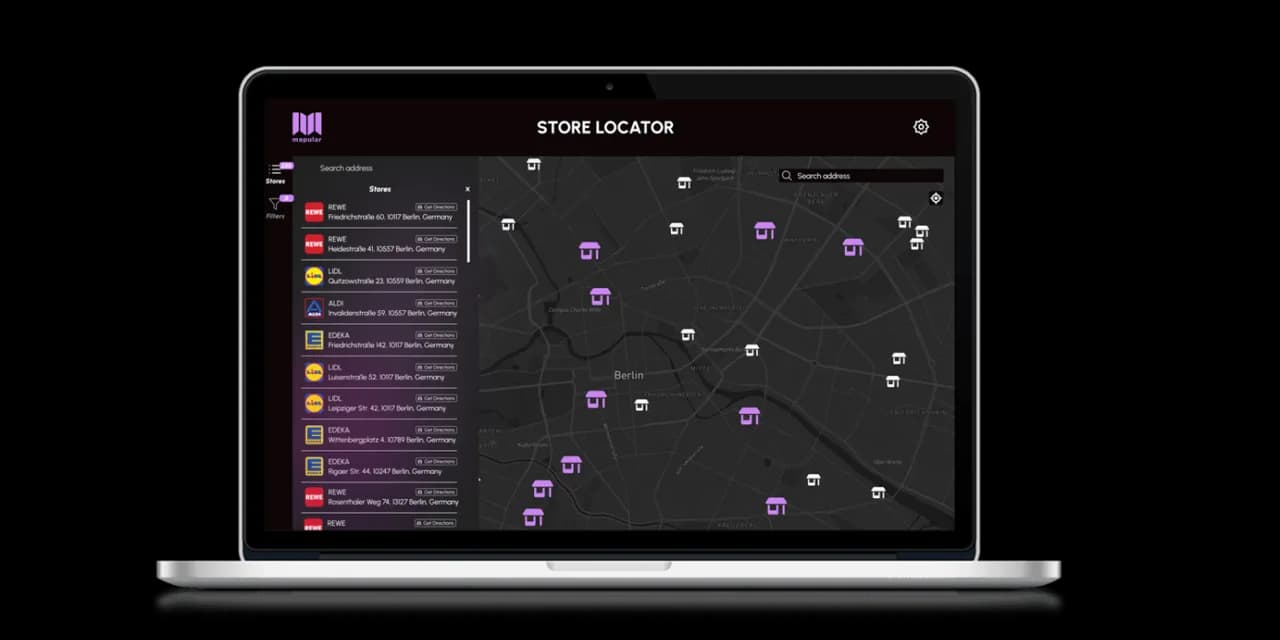
Mapular built a custom store locator embedded natively into their website, not as an iframe or third-party widget, but as part of the site. The locator includes smart filters for product availability, branded map pins, and directions integration. Every search, filter interaction, and store click is tracked automatically, giving the team demand signals they could not get from sales data alone.
The result was immediate ROI in consumer engagement, retail foot traffic, and industry attention. The store locator became more than a utility - it became a channel for understanding where demand exists and making data-driven decisions about retail distribution.
"The custom store locator their team built for Black Buffalo is truly the best I've seen in the industry and resulted in immediate ROI in terms of consumer engagement, retail foot traffic, and industry attention. Beyond the consumer-facing store locator, Mapular brings a wealth of analytical knowledge that's helping us make high-level decisions at the retail level where otherwise we would be completely in the dark."
Zach Miller, VP Digital Consumer Experience at Black Buffalo
Read the full Black Buffalo case study
How to Get Started
If you are running a store locator today, start with the diagnostic: view source on your locator page and search for a store address. If it is not in the raw HTML, your locations are invisible to Google.
From there, the path forward depends on your setup:
If you want a self-serve app you install and manage yourself, the Shopify Store Locator is a native Shopify app with built-in location pages, LocalBusiness schema, and an analytics dashboard. Install it from the Shopify App Store, configure it in your admin, and go live in minutes.
If you need a fully managed, brand-native solution, the Custom Store Locator is built specifically for your website and brand. It works on any platform, including Shopify, and is designed for brands selling through retail partners. Mapular handles design, implementation, data management, and ongoing updates. The Store Data API gives you structured access to your store data as JSON, filterable by retailer, state, city, or zip code, powering Schema.org markup and making your locations discoverable by search engines.
Compare both options to find the right fit for your brand.
Every month without indexable store data is a month of local search traffic going to your competitors or your retail partners instead of your own site. The brands in your space have not done this yet. That gap is your advantage.
Book a demo and we will walk you through what multi-location SEO looks like for your specific setup.