The most common mistake brands make when buying a store locator is searching "best store locator software" and comparing feature lists. Feature lists look identical across all tools - search, map, filters, mobile. The differences that matter are in the details specific to each business model.
A CPG brand distributing through Walmart, Target, and Kroger has different requirements from a franchise chain with 200 locations, which has different requirements from a D2C brand that just landed its first retail partnership. Most brands buy a generic locator and discover six months later that it does not do what they actually need.
This guide breaks down what matters, by business model.
Key takeaways
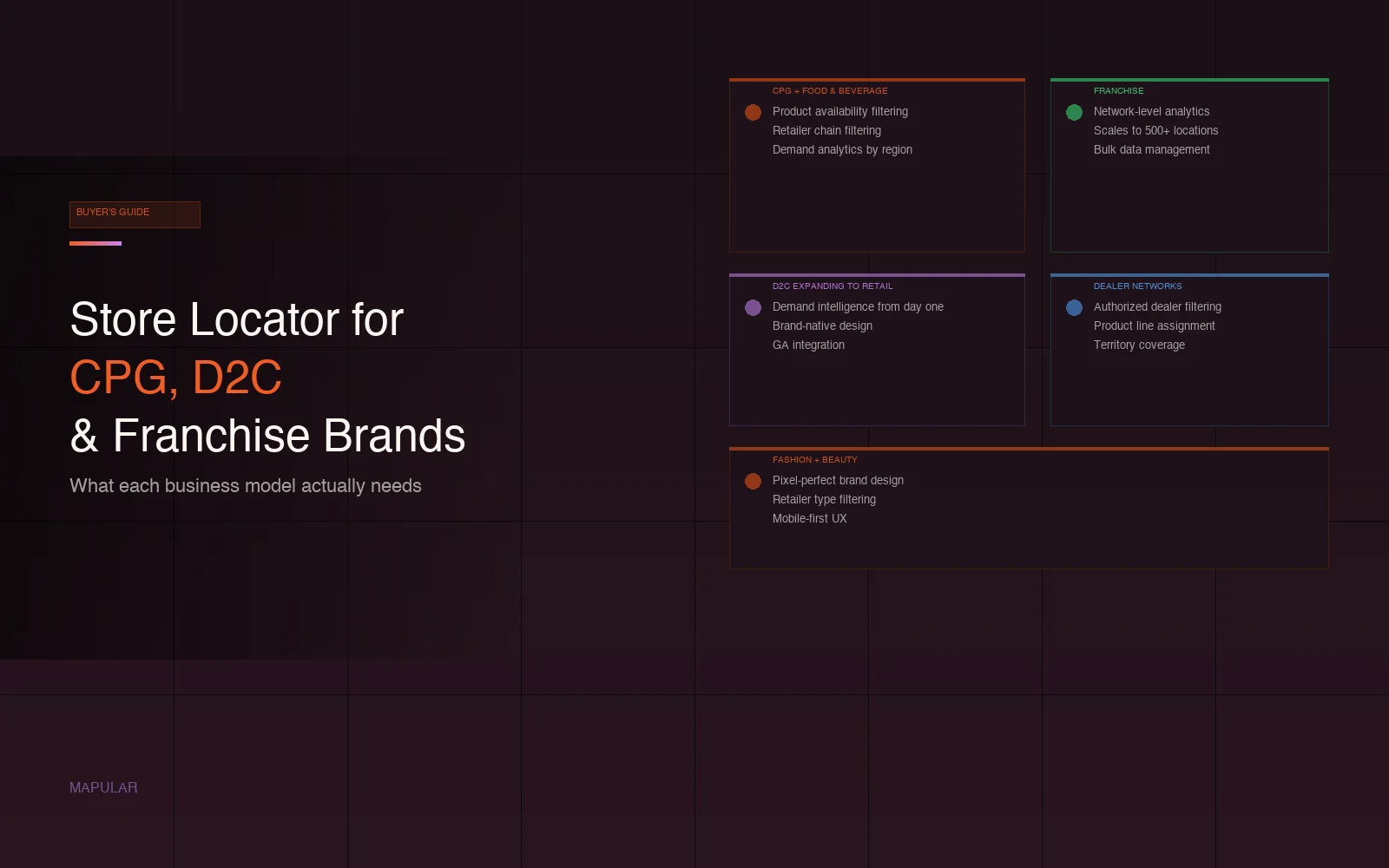
- A store locator is not one-size-fits-all. CPG needs product filtering. D2C needs demand signals. Franchise needs network analytics. Dealer networks need authorization filtering.
- The features that are table stakes for one business model are optional or irrelevant for another.
- The common thread across all of them: search analytics. Whatever type of brand you are, knowing where customers search is the most actionable data your "where to buy" page can generate.
CPG and food and beverage brands
The core problem for CPG brands: you distribute the same product through dozens of different retailers. Customers do not just want to find a store - they want to find a store that carries a specific product or SKU. A store locator without product-level filtering is a generic map widget.
What matters most:
Product availability filtering. Customers can filter by product to find stores that carry it. Essential for brands with varied distribution - a customer looking for a specific flavor or size should not have to call every store on the map.
Retailer and chain filtering. Customers can filter by chain (Walmart, Target, Kroger) with logos displayed. Especially important for brands with national distribution where the retailer name drives confidence.
Demand analytics by region. Which cities and zip codes generate the most "where to buy" searches for which products? This data drives expansion decisions and tells you where to focus new retail partnerships.
Data pipeline for dynamic distribution. CPG distribution changes constantly - new retailers, new regions, product line changes, promotions. The locator needs a data pipeline that handles bulk updates without manual editing.
Black Buffalo manages 12,000+ retail locations through Mapular Store Locator. The result was immediate ROI in consumer engagement and retail foot traffic.
Full guide: Store Locator for CPG and Food & Beverage Brands
If the primary need is product availability data rather than store discovery, see Product Locator for Brands.
D2C brands expanding into retail
The D2C challenge is different. D2C brands often have excellent digital analytics - they know exactly how customers behave on their website. But when they land their first retail partnership, they suddenly have zero visibility into retail demand. No data on where customers are looking for their products in the physical world.
What matters most:
Demand intelligence from day one. Every search on the store locator is data the brand did not have before: which zip codes and cities generate search demand, what products customers are looking for, where the next retail partnership should be. The locator becomes the primary source of retail market intelligence.
Brand-native design. D2C brands have invested heavily in visual identity. A generic locator widget clashes with a premium brand experience. The locator should be indistinguishable from the rest of the site.
Quick setup. D2C brands moving into retail are moving fast. The locator needs to be live before the first product hits shelves, not weeks after.
GA integration. D2C brands live in Google Analytics. Store locator events should flow into the same dashboard as the rest of their conversion data.
Brands that use this data typically discover 2-3 high-demand markets they had not prioritized for retail expansion.
Full guide: Store Locator for D2C Brands
Also relevant: Store Locator for Fashion and Beauty Brands - similar dynamics, higher brand design requirements.
Fashion and beauty brands
Fashion and beauty brands care intensely about brand presentation. The "where to buy" page is often the last touchpoint before a customer decides to go in-store. It should feel premium, not like an afterthought.
What matters most:
Full brand customization. Not just colors - fonts, map styles, pin icons, result card layout. The locator should match the brand's visual identity at the pixel level. A fashion brand that has invested in Webflow or a custom-built site cannot afford a locator that looks like it came from a different decade.
Retailer type filtering. Distinguish between department stores, concept stores, authorized retailers, and online stockists. Customers shopping a premium fashion brand want to know they are going to the right type of store for the right product.
Mobile UX quality. Fashion shoppers are mobile-first. The locator experience on mobile should be as considered as the desktop experience - not a shrunk-down version of it.
Full guide: Store Locator for Fashion and Beauty Brands
Franchise systems
Franchise brands have a different problem: they are managing a network of independently-owned locations that all need to look and feel consistent. The store locator is part of the brand experience that corporate controls on behalf of franchisees.
What matters most:
Network-level analytics. Which locations generate the most traffic? Where is demand high but coverage thin? Where should the next franchise location be? These are decisions the franchisor makes - the locator should support them with data.
Scale. A locator that handles 50 locations needs to handle 500 without rebuilding. Franchise networks grow, and the tooling needs to grow with them.
Consistent brand experience. Every location should look the same in the locator. Corporate controls the template; individual franchisees do not customize it.
Bulk data management. New locations onboard, existing ones move or update. The data pipeline handles constant changes without requiring manual editing at the individual location level.
Full guide: Store Locator for Franchise Brands
Note: if the franchise network also needs lead routing to specific franchisees or local SEO landing pages per location, Bullseye is worth evaluating alongside Mapular Store Locator for those specific requirements.
Dealer and distributor networks
Manufacturers and distributors who sell through authorized dealers have needs that a standard store locator does not cover. The map is not just about location - it is about authorization.
What matters most:
Dealer type filtering. Authorized dealer, service partner, showroom, distributor - customers need to find the right type of partner for their specific need. Showing all dealer types without differentiation creates confusion.
Authorization verification. Only authorized dealers appear. The locator is not a generic map of businesses - it is a verified network.
Product line assignment. Dealers may be authorized for different product lines. Filtering by product line shows the right dealer for the right product rather than showing customers every dealer regardless of what they carry.
Geographic coverage. B2B customers often need to find the nearest authorized dealer in a specific territory, not just the closest pin on the map.
Full guide: Dealer Locator for Manufacturers and Distributors
The common thread: analytics
Across every business model above, the most underrated feature is behavioral analytics. Most brands do not know:
- Which cities generate the most "where to buy" searches
- Which products customers are looking for most often
- Where customers search but find no nearby locations - coverage gaps that represent expansion opportunities
- Which retailer chains customers prefer when given a choice
This data is generated automatically by every search on the store locator. A CPG brand, a D2C brand going into retail, and a franchise network all benefit from it differently - but all of them benefit from it.
A store locator without analytics is a convenience tool. A store locator with analytics is a growth instrument.
Build vs buy
For any of the business models above, the temptation to build internally is real. Product and design teams want full control. Engineering teams want to avoid vendor dependency.
The reality: building a production-quality store locator with product filtering, behavioral analytics, a data pipeline, and mobile-first UX takes 3-6 months and significant development time - before the ongoing maintenance. For most brands, that development capacity is better spent on core product.
The build vs buy analysis covers the real cost breakdown.
Frequently asked questions
What is the best store locator for CPG brands?
For CPG brands distributing through multiple retailers, the most important features are product availability filtering, retailer chain filtering, and demand analytics by region. Mapular Store Locator covers all three. Destini is an alternative for CPG brands that specifically need live retailer inventory data feeds, though it has more limited design control and higher pricing.
Do D2C brands need a store locator?
Yes, once they have retail distribution. The store locator becomes the primary source of retail demand intelligence for brands that previously operated exclusively online. Every search is data the brand did not have before - which cities have demand, which products customers are looking for, where to prioritize the next retail partnership.
What is the difference between a store locator and a dealer locator?
A store locator helps consumers find retail locations that carry a brand's products. A dealer locator helps B2B customers - typically purchasing professionals or end users of technical products - find authorized dealers or distributors. The key difference is authorization filtering: a dealer locator shows only verified authorized partners, not every store in the area.
What is the difference between a store locator and a product locator?
A store locator shows where stores are. A product locator answers a more specific question: which stores carry this specific product. The distinction matters most for CPG brands with multiple SKUs distributed unevenly across retailers. Some tools combine both - product availability filtering on top of standard store search.
How does a store locator help with retail expansion decisions?
The search analytics from a store locator show where customer demand exists geographically - which cities and zip codes generate searches but have few or no nearby results. These coverage gaps represent expansion opportunities: markets where customer demand is proven but retail presence is thin. Brands that use this data systematically identify 2-3 high-priority expansion markets they would not have found otherwise.
Can a store locator handle franchise networks with hundreds of locations?
Yes. The key requirements for franchise scale are: a data pipeline that handles bulk updates as locations change, network-level analytics across all locations, consistent brand templates that individual franchisees cannot alter, and performance that holds up at hundreds or thousands of locations. Mapular Store Locator handles unlimited locations.
How long does it take to set up a store locator for a brand with retail distribution?
Days, not months. The setup process is: deliver location data as a CSV, Mapular geocodes and processes it, design is configured to match your brand, one script tag goes on your page. The limiting factor is usually getting clean location data together, not the technical implementation.