Analytics Dashboard
Understand how customers interact with your Store Locator through the Analytics dashboard.
The Analytics page shows how customers interact with your Store Locator.
Select a date range at the top to view recent activity.
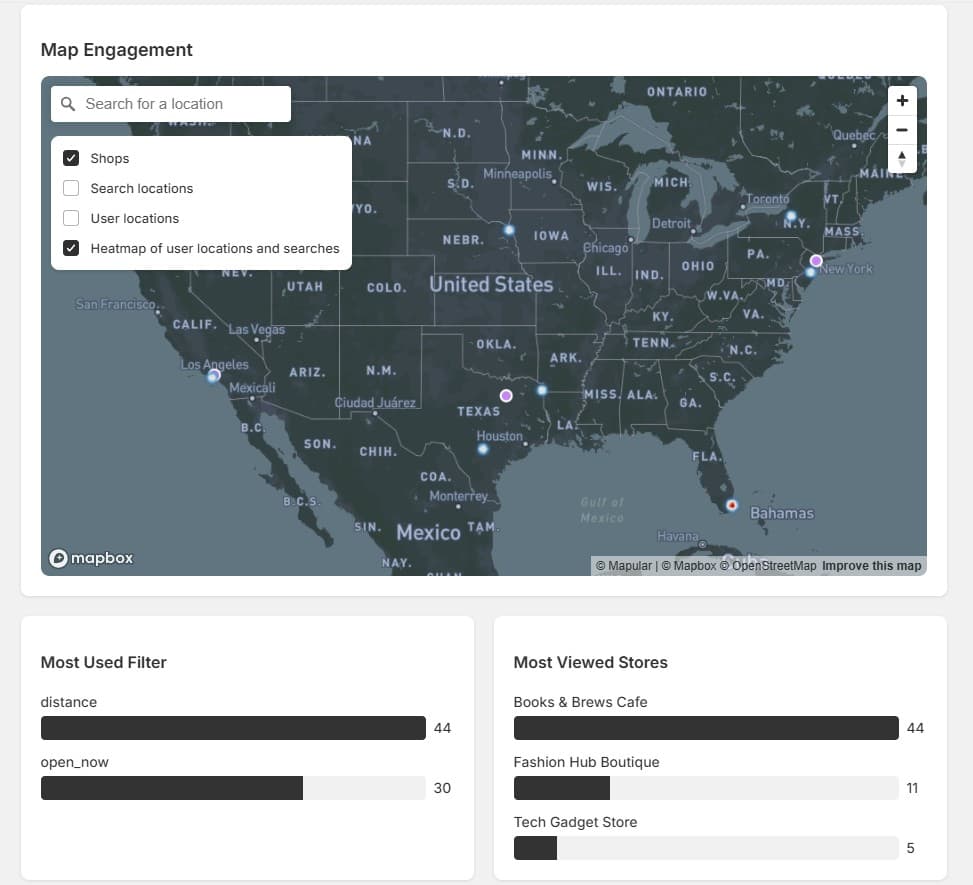
Map Engagement
Highlights where users search and interact, with optional layers including:
- Shops on the map
- Search locations
- Heatmaps of activity
Most Used Filters
Shows which filters customers use most often, useful for understanding what's important to your audience (distance, product availability, open now, etc.).
Most Viewed Stores
Highlights the stores getting the most attention, so you can identify your most popular locations.
Store Engagement
Tracks clicks per store, including:
- Store detail views
- Phone number clicks
- Website visits
- Direction requests
Use Store Engagement data to identify which stores drive the most customer actions, and optimize low-performing listings with better images, hours, or descriptions.