Set Up Your Mapbox Key
Connect a Mapbox API key to unlock modern, interactive maps and custom styles.
By default, our Store Locator includes a free, open-source basemap from OpenStreetMap, which does not require any token or API key.
However, if you want to display your store locations on a more modern and interactive map (such as Mapbox), you will need to connect a Mapbox API key.
Why Mapbox?
We use Mapbox as one of our mapping providers because it offers:
- Beautiful map designs
- Mobile-friendly performance
- Custom styles and colors
Step-by-Step Setup
- 1Go to mapbox.com and click Sign Up.
- 2Create a free Mapbox account (payment details may be requested, but the free tier is usually enough).
- 3Verify your account through the confirmation email.
- 4Once logged in, open your Mapbox dashboard.
- 5In the left menu, click Tokens.
- 6Create a new token (for example, name it Shopify Store Locator).
- 7Copy the generated token.
- 8Go back to your Shopify Store Locator app settings.
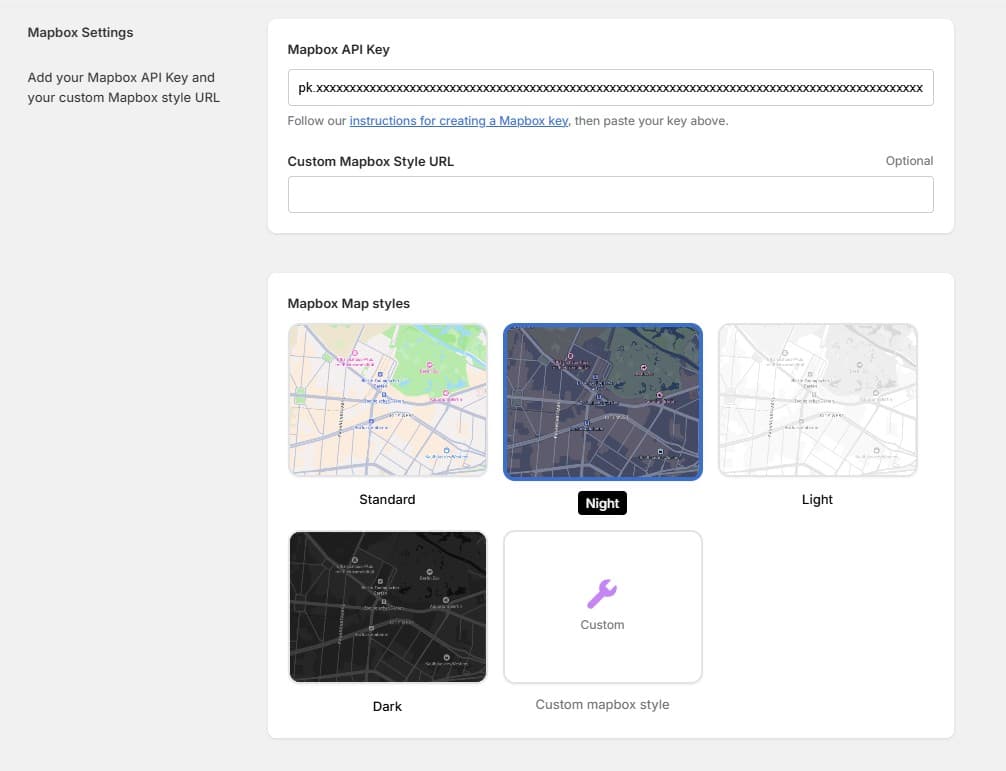
- 9Paste the token into the Mapbox API Key field and click Save.
Your map will now load correctly with modern basemaps.
The Mapbox free tier includes generous usage limits, and most Shopify stores won't exceed them. You only pay if you scale to very high traffic.
Video Tutorial
Video Tutorial
How to use and set the Mapbox API Key